
When Remote Teams Work Without Signal: Eliminating Data Loss in Field Operations
What offline-capable mobile tools cost, what they save, and how to tell whether your field operation actually needs one.
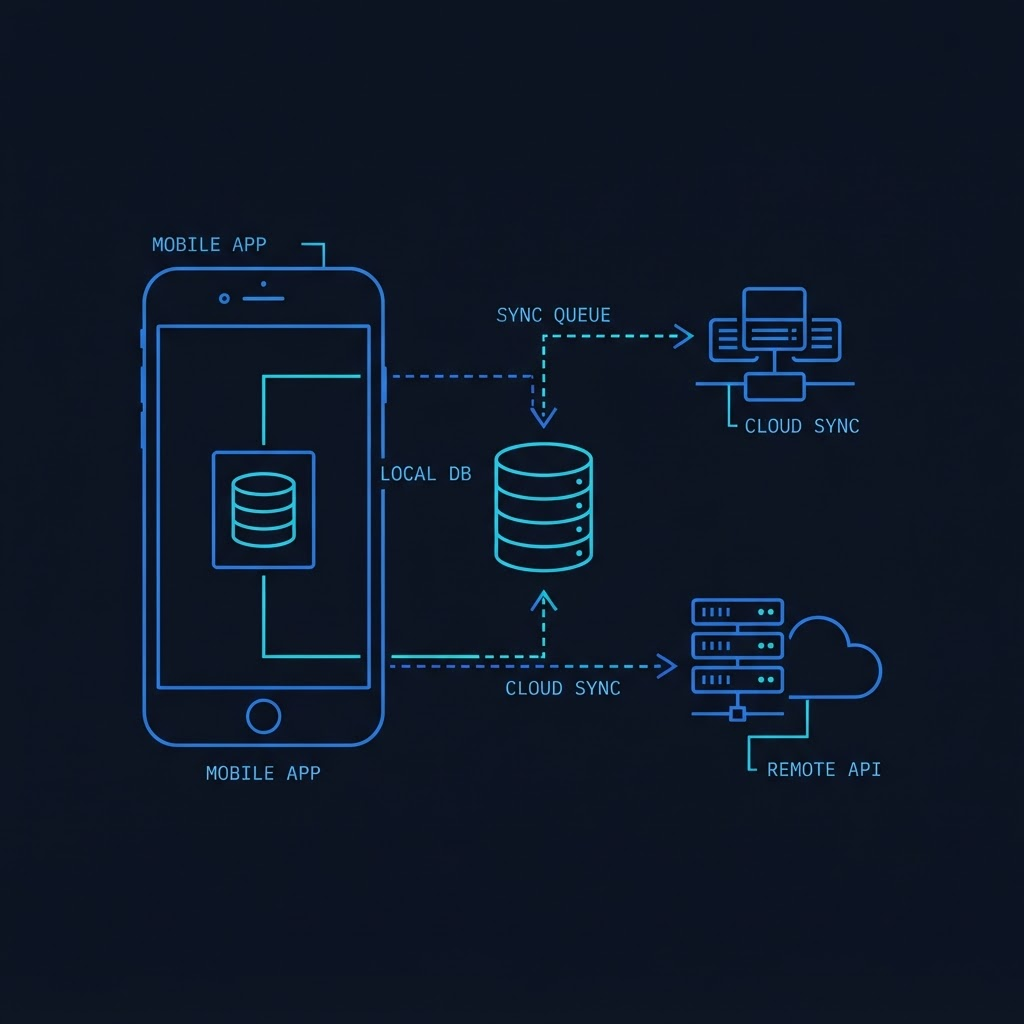
Field operations in mining, logistics, energy, and construction share a painful common denominator: cellular networks fail exactly when critical work is being recorded.
When field engineers, safety inspectors, or logistics operators lose connectivity, traditional cloud-dependent web apps grind to a halt. Form submissions fail, photo uploads drop, and staff revert to pen-and-paper notes—which later have to be manually typed into spreadsheets back at base.
In this article, we analyze the operational impacts, ROI metrics, and business strategies behind building production-grade offline-first software.
Average percentage of time field workers spend re-keying paper data when apps fail offline.
Local writes process instantly on-device regardless of cellular signal strength.
Automated background sync queue with backoff retries when signal is restored.
The Strategic Choice: Cloud-First vs Local-First Operations
Most web software is built on a Cloud-First assumption: the mobile app sends data across the internet to a server, waits for the server to confirm receipt, and then shows a success screen.
If the user is underground, in a basement, or on a remote job site without signal, the app throws an error. The user loses their data, gets frustrated, and returns to paper forms.
By contrast, an Offline-First (Local-First) operational architecture treats the physical mobile device as the primary system of record.
[ Field Worker Inputs Data ]
             |
             v
+--------------------------+
|  Local Device Storage    |  --> Instant UI Feedback (0ms Latency)
+--------------------------+
             |
   (Background Auto-Sync)
             v
+--------------------------+
| Enterprise Cloud Server  |  --> Centralized Reporting & ERP Integration
+--------------------------+
Zero-Latency User Experience
By storing data locally on the device first, application UI responsiveness drops to 0 milliseconds. Technicians never see loading spinners or frozen submit buttons while waiting for network connections.
3 Pillars of an Enterprise Offline System
- On-Device Data Persistence: Storing complex inspection forms, equipment schematics, and photos locally on the worker's device.
- Resilient Background Synchronization Queue: A persistent queue that automatically holds uploads while offline and syncs them seamlessly when signal returns.
- Conflict Management Business Rules: Intelligent rules for handling scenarios where two field technicians modify the same asset status simultaneously while disconnected.
| Conflict Strategy | Best For | Business Impact |
|---|---|---|
| Last-Update-Wins | Single-author site reports, inspection photos | Simple, predictable data flow |
| Field-Level Merging | Multi-department work orders | Combines updates without overwriting parallel work |
| Manual Exception Queue | High-value financial transactions | Routes conflicting edits to operational managers for review |
Transitioning our field inspection tool to an offline-first mobile app saved our engineering team over 140 hours per month in manual data reconciliation.
Cost-Benefit Framework: Does Your Operation Need Offline Capability?
Offline capability requires additional engineering upfront. Here is the decision matrix we use with executive leadership teams:
Diagnostic Checklist:
- Does internet downtime stop critical revenue or compliance safety checks?
- Do technicians operate underground, in rural corridors, or inside metal structures?
- Are workers taking multi-photo documentation during site visits?
- Is double-data entry across paper notes and office computers costing over $2,500/month per team?
If you answered Yes to 2 or more of these questions, the initial 20-30% development overhead of an offline engine pays for itself within 3-6 months.
Conclusion & Next Steps
When field staff operate in remote environments, software must adapt to their real-world working conditions—not the other way around.
At machDOT, we design offline-first mobile systems that guarantee zero lost data regardless of connectivity.
Need an Offline Field Solution?
Interested in auditing your current field operations app or upgrading to an offline-first mobile system? Talk with our engineering strategists to map out a custom plan.
Alex Mercer
Lead Mobile Architect
Engineers and architects at machDOT design and build production-grade web systems, offline mobile solutions, and enterprise automated platforms for fast-scaling companies.
Have an idea worth building?
Let's turn your idea into a product that people actually want to use.